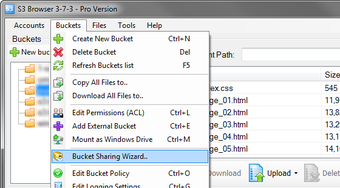
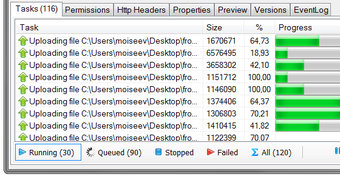
S3 Browser is an application designed to be used in tandem with Amazon.com’s web-based storage, Simple Storage Service or S3. This development software lets you upload your files to the S3 service easily, much like an FTP client. Once you add your account to the app’s interface, you can select the files you want to upload to Amazon, load them, and monitor their upload progress. S3 Browser makes it easier to transferlarge amounts of data to the S3 sites. You can even use it as a BitTorrent client when you wish to download files from remote locations. The app also lets you manage your S3 files called Buckets, and even create a new one. S3 Browser is free to use and installs without a problem. However, while this app is free, Amazon’s S3 service comes with the price. Users must also note that they need to have an Amazon S3 account to use the S3 Browser.
S3 Browser is a software program that gives you the power to manage your Amazon S3 buckets and files with ease. Amazon S3 provides a simple web service interface that can be used to store and retrieve any amount of data at any time, from anywhere on the web.
With S3 Browser you can upload and download files to and from Amazon S3 and publish the contents using Amazon S3. You are not only able to browse, create and delete Amazon S3 buckets, but you can also share and use buckets from other Amazon S3 users.
You can also copy and move between Amazon S3 accounts and buckets and Drag and Drop from Windows Explorer. This tool sets access controls on buckets and files and keeps your files backed up on multiple data centers.
S3 Browser supports multiple Amazon S3 accounts, reduced redundancy storage (RRS) and AWS identity and access management (IAM), among others.
Laws concerning the use of this software vary from country to country. We do not encourage or condone the use of this program if it is in violation of these laws. Softonic may receive a referral fee if you click or buy any of the products featured here.